
How desk height ergonomics can stop pain before it starts
This story was produced by Billie Pollisotto and distributed by Next Net.
Desk height ergonomics can prevent pain before it ever starts. The right setup minimizes stress on your spine, shoulders, and wrists, helping you stay comfortable and focused throughout the day. Ergonomics isn't just about posture; it's a proactive step to safeguard your long-term health.
Picture finishing a full workday without the familiar tension building in your neck or the ache that lingers in your lower back. For many professionals, that discomfort isn't inevitable; it's often the result of a poorly adjusted workstation. With so much of modern life spent seated at a desk, small changes in ergonomics can make a lasting difference in both productivity and overall well-being.
Benefits of Ergonomic Office Solutions
Ergonomic office solutions do more than create a comfortable workspace-they provide long-term protection against strain and injury while supporting better productivity.
Adjustable desks and monitor setups help workers maintain natural postures that reduce stress on the neck, shoulders, and lower back. Over time, this minimizes the likelihood of chronic pain conditions that often arise from poor positioning at a workstation.
In addition to physical health, ergonomics directly supports efficiency. When employees are not distracted by discomfort, they can sustain focus and perform tasks with greater ease.
Small adjustments, such as keeping monitors at eye level or ensuring a desk is at the correct height for typing, make daily tasks less fatiguing and help conserve energy for more demanding work.
The Basics of a Pain-Free Work Setup
The way your setup is arranged directly influences posture and comfort, so even minor adjustments can have a significant impact. The foundation of any ergonomic setup starts with ensuring that the desk height allows the arms to rest at roughly a 90-degree angle while typing.
The chair is also important. A supportive seat with adjustable height and lumbar support helps maintain the natural curve of the spine. Feet should rest flat on the floor or on a footrest if the desk height makes floor contact difficult. These small corrections reduce the chance of lower back pain, one of the most common issues linked to desk work.
Monitor placement is another factor in maintaining comfort. The top of the screen should sit at or just below eye level to prevent slouching or craning the neck. Placing the monitor about an arm's length away also keeps the eyes from overworking, lessening fatigue throughout the day.
Signs Your Desk Height Needs Adjusting
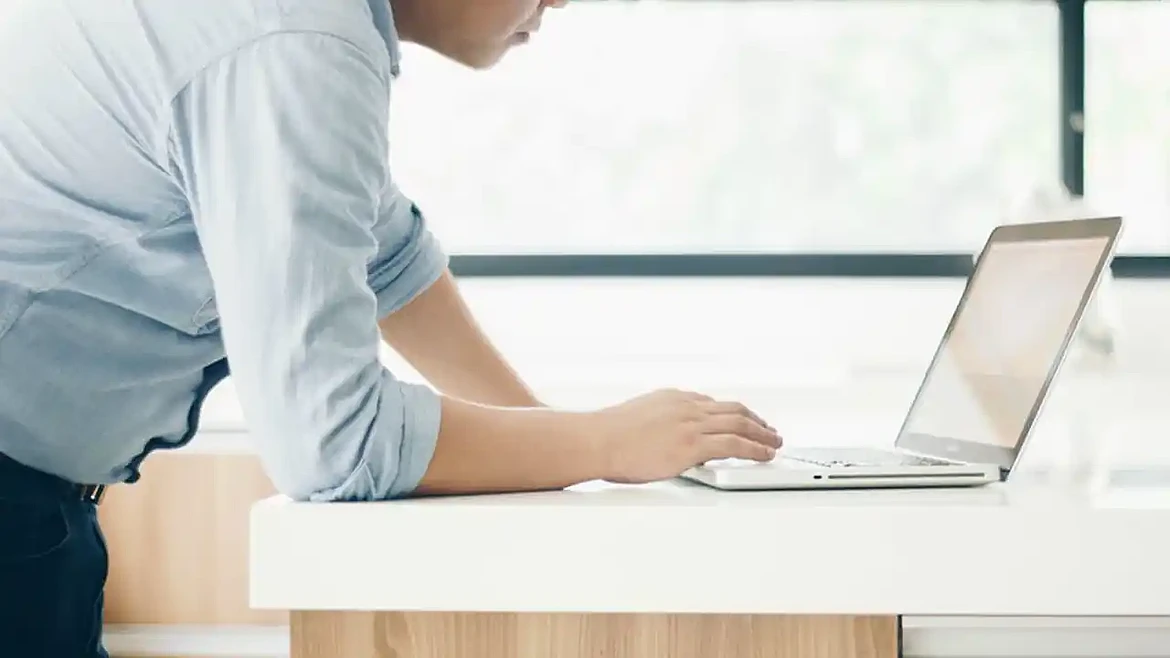
An improperly set desk height often shows itself through discomfort that builds throughout the day. One of the most common signs is tension in the shoulders or neck, which occurs when the desk is either too high or too low, forcing the body to adapt in unhealthy ways. If you find yourself shrugging your shoulders while typing or leaning forward to see your screen clearly, the setup likely needs correction.
Hand and wrist pain can also signal a problem. When a desk is positioned too high, wrists may bend upward while typing, creating strain. On the other hand, a desk that is too low can cause downward bending, leading to similar discomfort. Over time, these repetitive motions may result in soreness that makes even simple tasks more difficult.
Another clue is how your legs and lower back feel during long work sessions. If your desk does not allow your chair to fit comfortably beneath it, you may sit in awkward positions that cut off circulation or leave your lower back unsupported. Consistent fidgeting, shifting, or standing to relieve pressure are all signs that the desk height is not aligned with your natural posture.
Taking a Break
Even the best ergonomic setup cannot eliminate the strain of sitting or standing in one position for hours at a time. Regular breaks are an essential part of maintaining a healthy work routine.
Short pauses throughout the day can reduce stiffness, improve circulation, and help prevent the build-up of tension that often leads to pain.
Experts recommend adopting a rhythm that balances focused work with small recovery periods. Standing up every half hour to stretch, walk briefly, or shift posture allows muscles and joints to release built-up pressure. These breaks do not need to be long to be effective; even a few minutes of movement can make a noticeable difference in comfort and energy.
Stepping away from the desk also benefits the mind. Continuous screen time contributes to eye strain and mental fatigue, while breaks provide an opportunity to reset focus. Looking out a window, moving to a different room, or practicing a quick breathing exercise can restore concentration and make the next stretch of work more productive.
Frequently Asked Questions
What jobs benefit the most from ergonomics?
Any role that requires long hours at a desk or computer can benefit from proper ergonomics, but some occupations see the biggest impact.
- Office workers
- Data analysts
- Writers
- Programmers
Often spend eight or more hours sitting each day, making electric standing desks crucial. Graphic designers, accountants, and customer service representatives also benefit since their work involves repetitive hand and wrist movements.
Beyond traditional office jobs, call center employees, students, and even remote workers at home gain from an ergonomic setup because it prevents strain, improves comfort, and supports long-term health.
Is standing for ten hours a day good?
Standing for very long stretches, such as ten hours a day, is not recommended. While standing desks encourage movement and reduce some risks linked to sitting too much, standing all day can create its own problems. Extended standing has been linked to leg fatigue and circulation issues.
Alternate between sitting and standing throughout the day, using breaks to stretch or walk. The healthiest option is variety; changing positions regularly to keep muscles active and reduce strain.
What are the common ergonomics mistakes?
- The monitor placed too low, forcing the neck to bend
- Wrists angled upward while typing
- Feet not flat on the floor or footrest
- Lack of lumbar or back support
- Assuming ergonomic furniture fixes everything without adjustments
- Staying in one position for long periods
Stop Pain With Desk Height Ergonomics Today
Desk height ergonomics is a great way to reduce daily pain. Adopt this into your lifestyle today.
Do you want more advice for making your life easier? Check out some of our other posts ASAP.
This article was contributed by Next Net and published on cdapress.com as part of our contributed content program. Contributed content provides perspectives from businesses and organizations. These contributions help support local journalism through financial support, ensuring we can continue delivering trusted local reporting to our readers.